Agents
Pre-Lecture Install
If you don’t subscribe to any AI service, install Codex (https://chatgpt.com/codex). Antigravity IDE from Google is another option, but we’ll focus on Codex.
If you subscribe to Claude, install the desktop app (https://claude.com/download), and switch to the Cowork tab  . If you subscribe to Gemini, install Antigravity, if you subscribe to ChatGPT, use Codex.
What’s Happening in AI?
Student presentation — Week 7
Admin
- No breaks today - we’ll have choose-your-own break time during lab
- We’re packed today! Let’s talk about our Prompt and Circumstance lab; Classification Prompt Battle may be next week.
Agents
An agent is anything that can be viewed as perceiving its environment through sensors and acting upon that environment through actuators.
- Russel & Norvig 1995
Agents: Core Concepts (Huyen, 2025)
- An agent is characterized by:
- The environment it operates in
- The set of actions it can perform
- AI is the “brain” that:
- Processes tasks
- Plans sequences of actions
- Determines task completion
The terminology of “agents” has been muddled in the AI community - there are many things that people call agents.
We’ll focus on large language models that can plan the necessary actions to complete a task, have access to one or more tools to execute those actions, and summarize or use the outputs of those actions.
We’ve Seen ‘Agents’ in Class Already
- Retrieval-Augmented Generation → giving an LLM access to web search, or search over your own database
- Code Interpreter / Artifacts (Week 6 — classification) → the LLM writes the code to visualize the data, sends it to a sandboxed runtime, observes the result, and revises. Plan, act, observe, revise — that’s the loop
The risks of agents
- Real-world harm
- Unauthorized and highly-sensitive actions (financial transactions, data deletion)
- Privacy violations through excessive data access
- Security vulnerabilities from tool misuse
- Resource depletion (lots of read/write)
- Accountability gaps (who’s responsible when agents make mistakes?)
- Amplification of existing biases in decision-making
- Unpredictable behaviors in complex environments
Agents Need More Powerful Models
- Compound mistakes: Errors multiply across multiple steps
- 95% accuracy per step → 60% accuracy over 10 steps
- Higher stakes: With tools, agents can perform more impactful tasks
- You likely don’t want to give access to your email or bank to any machine, but especially not to a poor, error-prone model
Agent Failure Modes
- Planning failures: Incorrect reasoning, missing steps
- Tool failures: Incorrect tool selection, misuse of tools
- Efficiency issues: Too many steps, redundant actions
Problem: Limits to bespoke tools
Some tools are very valuable, like web search or being able to run Python code. Other tools are easy to implement, like a calculator.
But there’s a whole lot of actions you may want to do, and building a tool for each one can get challenging.
Solutions?
Computer Use

Coding Agents
Your computer already has 1000s of commands that are usuable on the command line - give AI the ability to access those!
Browser Use

Coding Agents
The history of AI coding assistance has three phases:
Phase 1: Autocomplete (2021–2023)
- Helpful but you drive; AI just suggests
- Works on one file at a time
Phase 2: Chat + Code (2023–2024)
- Ask questions, get whole functions
- Still mostly: you paste, you review, you run
Phase 3: Agentic Coding (2025–present)
- Describe the goal; agent reads your codebase, edits files, runs tests, iterates
- Works across dozens of files
- Can commit, push, open pull requests
What Can Coding Agents Actually Do Now?
Modern agentic coding tools can:
- Read your files — not just one open file
- Edit your files to implement a feature end-to-end
- Run tests and fix failures
- Execute terminal commands (install packages, run linters, build)
- Open and use a browser
- Version control - make changes that can be reverted
- Spawn sub-agents to work on different parts of a task in parallel
“Vibe Coding”
“There’s a new kind of coding I call ‘vibe coding’, where you fully give in to the vibes, embrace exponentials, and forget that the code even exists.”
— Andrej Karpathy (co-founder of OpenAI, former AI lead at Tesla), February 2025
Collins English Dictionary Word of the Year 2025
What Is Vibe Coding?
- Describing what you want in plain language
- Accepting AI-generated code without reviewing it line by line
- Relying on results and follow-up prompts to guide changes
- Iterating conversationally until the software does what you want
The Coding Agent Landscape
This is not a ‘list of tools’ lecture. We’ll focus on Cowork and Codex, but here are some names to be aware of:
- Claude Code - The biggest one.
- Claude Cowork - ‘Claude Code’ for non-developers.
- Codex, Antigravitiy - OpenAI and Google versions.
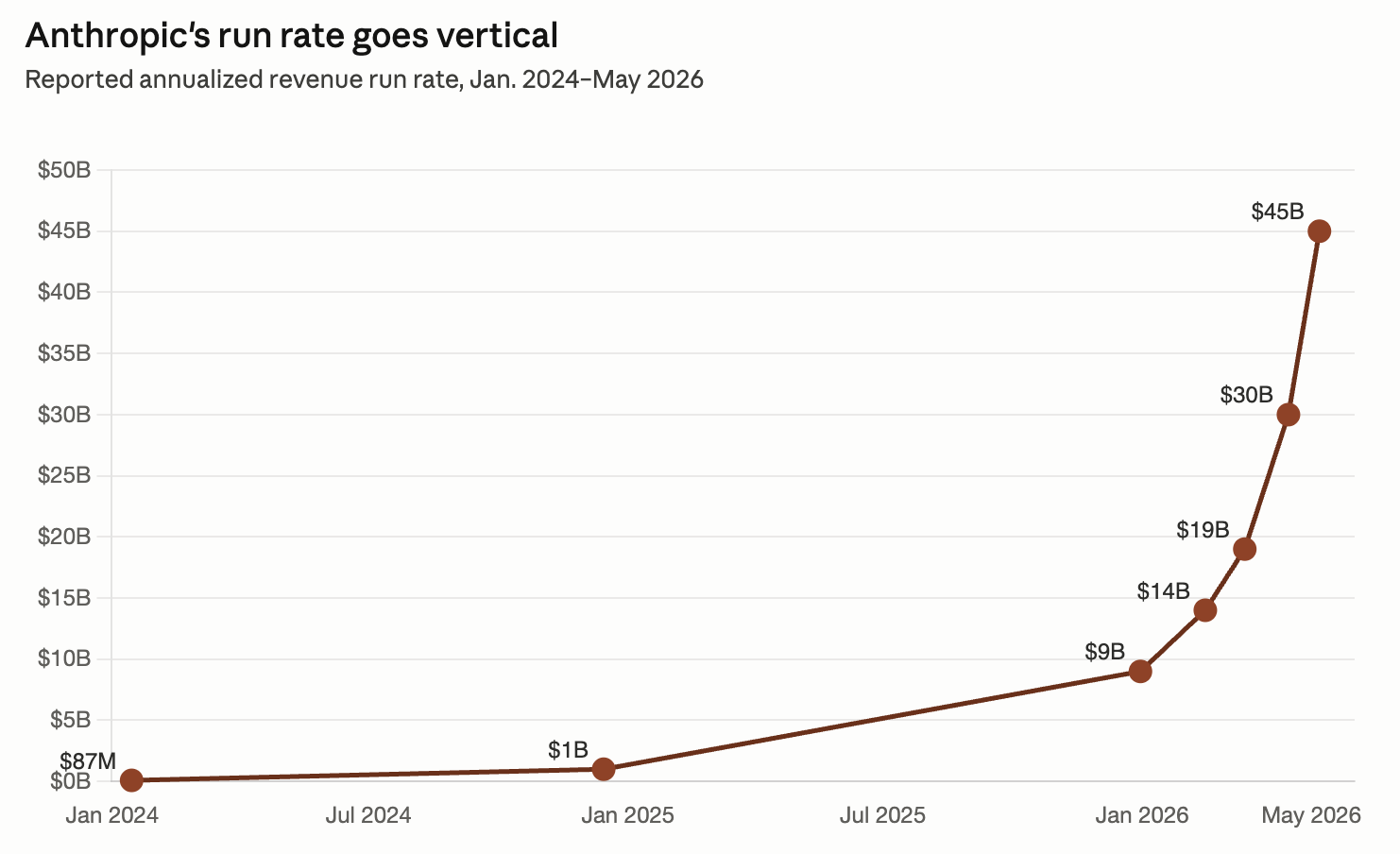
- May 2026 - Codex is available to free users for a limited time; Antigravity also has a free tier
- Aider, Pi, OpenCode - open source.
Not just for developers - a number of these options now have ‘apps’ instead or or in addition to command line interfaces, and the ‘coding’ of a coding agent is much more narrow than what it can do now.
Claude Cowork
Claude Code is for developers. Cowork brings the same operating model to information professionals — and that includes you.
- Computer use: can open apps, navigate browsers, fill in forms
- Folder sandbox: point it at a folder; it reads, creates, and edits files there
Claude Code in Action
This is the terminal version. Cowork is the app
What’s the good and bad of coding agents?
Lab: Supervising an Agent
https://ai.porg.dev/labs/supervising-an-agent
Lab Setup: Pick Your Path
If you don’t subscribe to any AI service, install Codex (https://chatgpt.com/codex). Antigravity IDE from Google is another option, but we’ll focus on Codex.
If you subscribe to Claude, install the desktop app (https://claude.com/download), and switch to the Cowork tab . If you subscribe to Gemini, install Antigravity, if you subscribe to ChatGPT, use Codex.
The Lab Task
Messy Bibliography. I’ll give you a CSV of ~100 citations with inconsistent author formatting, missing years, and a few duplicates. Clean it into a bibliography.
Metadata Crosswalk. Give the agent 10 MARC records. Have it produce a clean Dublin Core conversion with one-sentence notes on what got lost in translation.
Reader’s Advisory Bot. Build a tiny tool for browsing book award winners.
Research/Study Guide Builder From a folder of materials from a class, produces a structured LibGuide-style document for yourself: background, key sources annotated, further reading.
Interview Simulator Set up a fake ‘bot interviewer’ based on a job posting. Collect more detail about the workplace than just what’s posted. Iterate on the interview voice, and have it save your answers and suggestions.
The tasks are Task 1 - you’ll get to decide on what to do next with the project (or can switch to your own project once you have the fundamentals).
If fact - if all goes well, you’ll get through the first task faster than you imagine
Get Started
Set up your work folder with all your relevant files on your computer.
In Codex, select ‘Add New Project’ (feature is similar in Cowork and Antigravity) and choose the work folder that you’re using
Get to know the directory - ask the agent what there is!
Ask the agent to ‘Initialize the project’ or ‘Initialize the AGENTS.md’. Give it more context if you think it needs it beyond what it can infer from the files.
Questions
- Make sense of the new files that it writes, particularly AGENTS.md (or CLAUDE.md in Cowork). First person to figure out what that file is - share with the class!
- Did it run any tools? How did it handle permissions?
Plan First, Then Act
Ask the agent to plan your chosen task — not do it.
Read the plan. Anything missing? Anything that worries you? Push back if so.
Once it looks right, tell it to go.
Watch the Loop
As it works, watch for the moment it re-reads its own output and changes course. That’s the loop.
Note one specific moment: what did it just do, what did it notice, what did it change?
If it never self-corrects — note that too. Some tasks don’t need it; others do and the agent missed it.
Iterate and Audit, Audit and Iterate
- With a result in hand, where did you get? Is it good? Is it bad? Is it workable?
Get Creative
Consider next steps for this project or, swap to a project of your choosing.
See how well you can execute on your open-ended next idea.
Tips:
- Note the operative ‘consider’ above - you are the idea person, try to keep that way
- Push back;
- Understand where you are better and faster
Things to watch for:
- Confidence - is the model confident-but-wrong? Is it overly-deferential?
- Agency - does it may assumptions or ask you about big decision points?
Bonus
Type ’/’ and a dropdown will show skills. Q: What skills do you have?
Try making a skill for something repeatable in your project. Q: What was needed for making it?
Try installing the ‘playwright’ skill to give the agent a browser.
That’s it for today!
Companion Exercise: Ask an Agent About This Course
A second small exercise — RAG + agents on a real corpus
- Get the course materials: Clone or download from the course GitHub repository (link on Canvas)
- Open with an agent:
- Paid path: Claude Code (web or VS Code), Cursor, Cowork
- Free path: upload the markdown files to Claude.ai or ChatGPT; or open in Antigravity
- Ask questions of the corpus:
- “What topics are covered each week?”
- “List all the labs — which are portfolio-eligible?”
- “Find every slide that mentions RAG.”
- “What ethical concerns does this course raise about AI?”
- “Where in the course do we contradict ourselves?” ← my favorite stress test
- Reflect: How well did the agent navigate the corpus? What did it get wrong? What did it confidently make up?
This is RAG + agents in action: an agent reads a corpus to answer questions, rather than guessing from training memory. Exactly how enterprise document search and library knowledge systems work.
Extra Material
MCP
Model Context Protocol is a standard for providing context to tools to LLMs.
https://modelcontextprotocol.io/
e.g. You can make a database or a filesystem available to a coding app, or a chat app, etc., without writing a custom tool for each
(Mar 2025 - OpenAI is introducing MCP support: https://openai.github.io/openai-agents-python/mcp)
Playwright
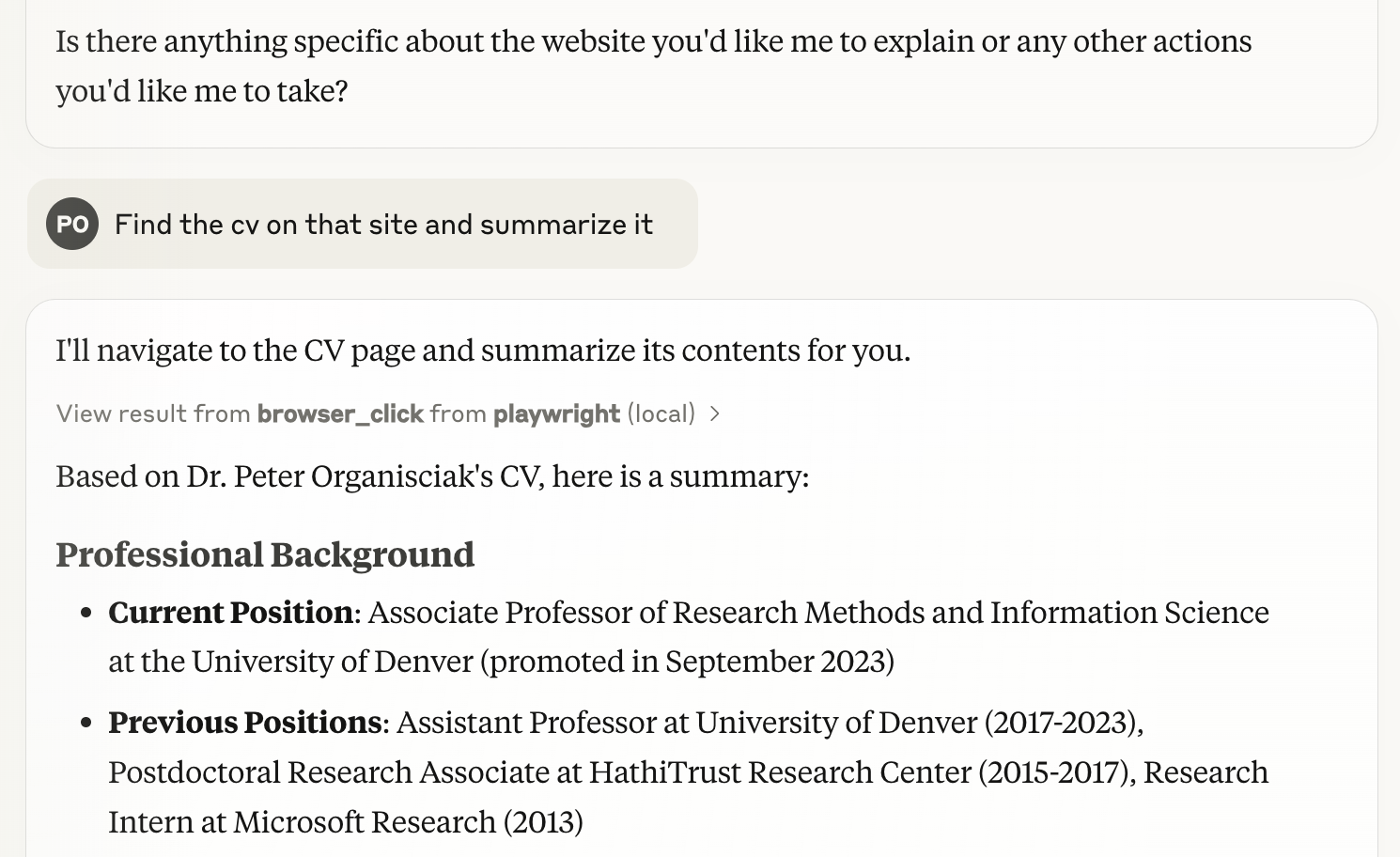
- Playwright is a browser-testing tool, it’s what Browser Use uses
- with this server, you can give a browser to an llm to use
Code Interpreter / Claude Artifacts
Still relevant in 2026, but removed from lecture in favor of coding agents
In ChatGPT, you can add more instructions to use the tools by saying “use Python to…”
In Claude, You can ask it to “use JavaScript” or “create a React artifact”
ChatGPT’s version can run code start to finish to get an output, Claude artifacts can be interactive widgets
Exercise: In pairs, try some of the following ‘write and run code’ tasks with ChatGPT or Claude
- Upload a CSV dataset and analyze or visualize it
- Create an interactive map showing population data by region
- Build a simple game (like tic-tac-toe or hangman)
- Create a text analyzer that provides readability metrics
- Create a password strength checker
- Make a simple weather data plain-language interpreter
- Build an image resizer